Tenant Web Access is an online tenant portal that allows renters to manage common rental tasks such as making rent payments, reviewing account information, submitting maintenance requests, viewing documents, and communicating with a property manager.
The term Tenant Web Access (TWA) is also used by Rent Manager for its tenant portal. However, not every property management company uses the same software or login system. If you are trying to access your rental account, always use the official portal link provided by your own property manager.
What Is Tenant Web Access?
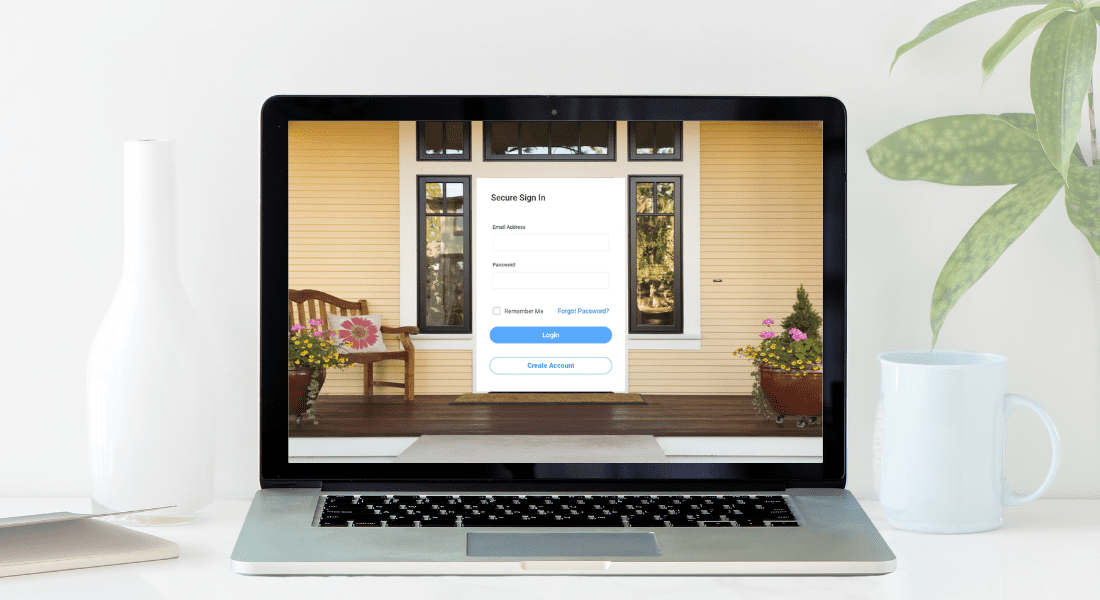
Tenant Web Access is a secure online portal that gives renters access to rental-account tools from a phone, tablet, or computer. Depending on the property management system, tenants may be able to pay rent, check balances, submit maintenance requests, view lease information, receive notices, and communicate with management.
If you are a Connerth & Co. tenant, use the official Connerth resident portal below rather than searching for a generic Tenant Web Access login.
Need additional help? Visit the
Connerth Tenant Services page.

Is Tenant Web Access the Same as a Tenant Portal?
In general, tenant web access describes the ability to manage rental tasks through an online tenant portal. Property management companies may use different software platforms, so the login screen and available features can vary.
Tenant Web Access (TWA) is also the specific name Rent Manager uses for its prospect and tenant portal. Rent Manager describes TWA as a secure portal where participating tenants can access their accounts and complete tasks online.
You can learn more about the product on the
official Rent Manager Tenant Web Access page.
If your property manager uses another system, you should use the portal link they provide rather than trying to sign in through Rent Manager.
Tenant Web Access Login: How to Find the Correct Portal
Many people searching for Tenant Web Access login are trying to reach their resident account, make a payment, or submit a maintenance request. The correct login depends on the company managing your rental property.
Before entering your username, password, or payment information, make sure you are using the official portal supplied by your property manager.
To find the correct tenant portal:
- Use the login link on your property manager’s official website.
- Check your lease, welcome email, or move-in instructions for a portal link.
- Bookmark the official portal once you confirm it.
- Avoid unfamiliar login pages found through advertisements or third-party websites.
- Contact your property manager if you are unsure which portal to use.
Current Connerth & Co. tenant?
Use the official Connerth resident portal for account access, rent-payment options, rental information, and resident services.
How to Make a Rent Payment Through Tenant Web Access
Online tenant portals allow renters to make payments electronically rather than mailing a check or delivering payment in person. Available payment methods depend on the portal and property manager.
Depending on the system, tenants may be able to pay using:
- Bank or ACH transfer
- Debit card
- Credit card
- Another electronic payment method approved by the property manager
Before submitting a payment, confirm the amount due, due date, payment method, processing time, and any applicable convenience or transaction fees.
If recurring or automatic payments are available, review the withdrawal date and amount carefully before enabling them.
How Do You Set Up Tenant Web Access?
The setup process depends on the property management company and the software it uses. In many cases, tenants receive an invitation, activation email, or registration link after lease approval or move-in.
A typical setup process may include:
- Receiving an official portal invitation from the property manager
- Creating or activating a resident account
- Verifying your email address or account information
- Creating a secure password
- Reviewing your lease or rental-account details
- Adding a payment method if online payments are available
- Confirming that you can sign in before your next payment is due
If you never received an invitation or registration link, contact your property manager instead of creating an account through an unfamiliar website.
What to Do If Your Tenant Web Access Login Does Not Work
If you cannot log in to your tenant portal, first confirm that you are using the correct website for your property management company.
Then try these steps:
- Check that your email address or username is entered correctly.
- Use the portal’s password-reset option if available.
- Check your spam or junk folder for password-reset or activation emails.
- Try another browser or device.
- Do not repeatedly create new accounts unless instructed by management.
- Contact your property management office if your account remains inaccessible.
For Connerth residents who need additional portal assistance, visit our Tenant Services page.
How Do Maintenance Requests Work Through a Tenant Portal?
Many tenant portals allow renters to submit maintenance requests online. This gives both the resident and property manager a written record of the reported issue and can make repair communication easier to track.
A useful maintenance request should include:
- A clear description of the problem
- The room or area affected
- Photos or videos when helpful
- Whether the problem appears urgent
- Current contact information
- Access instructions when required
For emergency situations, tenants should follow the emergency-contact instructions supplied by their property manager rather than relying only on an online maintenance request.
What Can Tenants Do Through an Online Tenant Portal?
Features vary by property manager and software platform, but tenant portals commonly provide access to several rental-related tasks in one place.
Available features may include:
- Online rent payments
- Current account balance
- Payment history
- Maintenance request submission
- Maintenance-request status updates
- Lease documents
- Rental notices
- Resident messages
- Contact-information updates
Keeping these functions in one account can reduce confusion and create a clearer record of payments, requests, notices, and communication.
Is Tenant Web Access Safe?
Online tenant portals are designed to provide controlled access to rental-account information, but tenants should still use normal online-security precautions.
When accessing a tenant portal:
- Use only the official link supplied by your property manager.
- Confirm that the website uses HTTPS.
- Use a strong, unique password.
- Do not share your login credentials.
- Avoid submitting payments while connected to unsecured public Wi-Fi.
- Be cautious of unexpected emails asking for login or payment information.
- Contact your property manager if a portal or payment request looks suspicious.
Connerth Tenant Portal Login and Help
Current Connerth & Co. residents can use the official resident portal for online account access and tenant services.
Through Connerth’s tenant resources, residents can find support for rent payments, maintenance requests, notices, lease information, and communication with the property management team.
Connerth & Co. Tenant Resources
Tenant Portal Login
— access the Connerth resident portal.
Tenant Services
— get help with rent payments, maintenance requests, notices, and resident information.
How Online Tenant Portals Help Rental Property Owners
Tenant portals can also help landlords and property managers keep rental operations organized. Digital records can make it easier to track payments, maintenance communication, notices, and tenant requests.
For rental property owners, a well-managed tenant portal can support:
- Rent-payment tracking
- Maintenance-request records
- Tenant communication history
- More organized repair coordination
- Reduced paperwork
- Lease and account documentation
- Clearer property-management reporting
Technology works best when it is supported by clear lease terms, responsive communication, consistent tenant screening, and reliable property-management processes.
Property Management Support for Clarksville Rental Owners
Connerth & Co. helps Clarksville and Montgomery County rental property owners manage tenant communication, rent collection, maintenance coordination, inspections, leasing processes, and owner reporting.
If you own a rental property and want professional support beyond the tenant portal itself, learn more about our landlord property management services.
Do you own a rental property in Clarksville?
Explore professional support for tenant communication, rent collection, maintenance coordination, inspections, leasing, and owner reporting.
Key Takeaways
- Tenant Web Access generally refers to an online portal where renters can manage rental-account tasks.
- Tenant Web Access, or TWA, is also the name Rent Manager uses for its tenant portal.
- Not every property management company uses the same tenant-portal software.
- Tenants should always use the official portal link supplied by their own property manager.
- Online portals may support rent payments, maintenance requests, lease information, notices, and resident communication.
- Connerth & Co. tenants should use the official Connerth resident portal or Tenant Services page for account help.
Frequently Asked Questions About Tenant Web Access
What is Tenant Web Access?
Tenant Web Access is an online portal that allows renters to manage rental-related tasks such as paying rent, reviewing account information, submitting maintenance requests, viewing documents, and communicating with property management.
How do I log in to Tenant Web Access?
Use the official tenant portal link supplied by your property management company. Because different companies use different portal systems, there is not one universal login page for every renter.
How do I make a payment through Tenant Web Access?
After signing in to the correct tenant portal, look for the payment or account section. Available payment methods may include bank transfer, debit card, credit card, or other options supported by your property manager’s system.
How do I set up Tenant Web Access?
Your property manager will normally provide an invitation, registration link, or account-activation instructions. Follow the official instructions and contact the management office if you did not receive access information.
What should I do if my Tenant Web Access login does not work?
Confirm that you are using the correct portal, check your username or email address, and use the official password-reset option. If you still cannot sign in, contact your property manager for account assistance.
Is Tenant Web Access the same for every property management company?
No. Rent Manager uses Tenant Web Access as the name of its own tenant portal, but other property management companies may use different resident-portal systems. Always use the portal associated with the company managing your rental.
Where do Connerth & Co. tenants log in?
Current Connerth & Co. tenants can use the official Connerth resident portal. For additional help with payments, maintenance, notices, or tenant resources, visit the Connerth Tenant Services page.